Kids Games: For Toddlers 3-5
RV AppStudiosEducational
4.5366.00 Reviews
- Version
- Varies With Device
- Installs
- 50.00M
- Age Rating
- Everyone
Screenshots
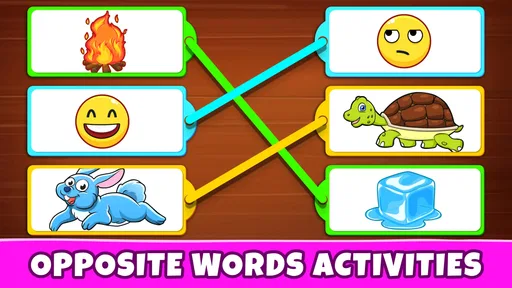
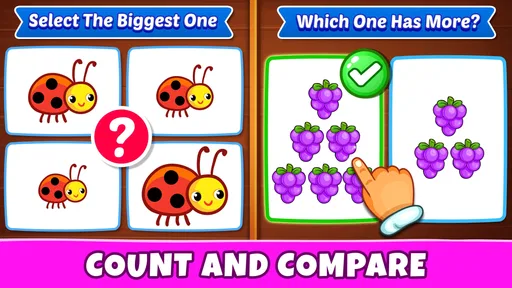
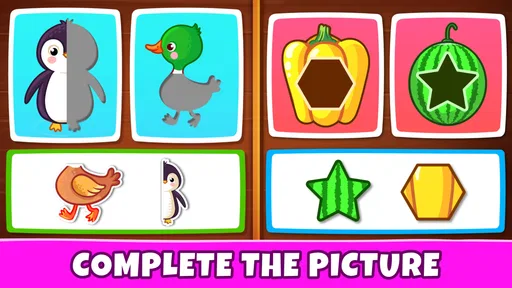
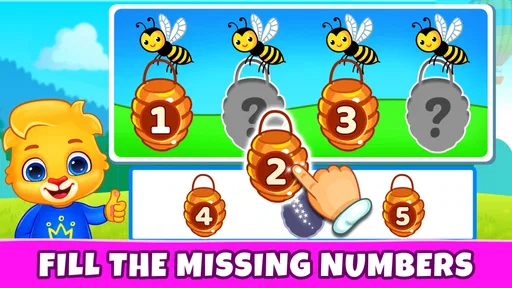
Our Review of Kids Games: For Toddlers 3-5
 Analysis by Appyee
When I want a young child to have something to explore on a phone without turning the moment into a passive video session, I look for activities that invite a small decision: match, notice, try again, or make a sound. Kids Games: For Toddlers 3-5 is an educational game from RV AppStudios, aimed at early learners. Its age focus is useful when choosing for a preschooler, though I’d still sit nearby at first and see which activities hold the child’s attention and which need a little explanation.
What the current version offers
The game’s broad appeal is its mix of child-friendly learning activities rather than one long lesson. The store description presents it as a collection for children of different ages, while the title points parents toward toddlers from three to five. That makes it worth considering for a household with more than one young child, but it also means I would not assume every activity suits every child equally. A younger toddler may need an adult to explain what to do; an older preschooler may move quickly through familiar material.
It is free, rated for Everyone, and has reached over 50 million installs, with an average rating of 4.6 from around 51,000 ratings. Those figures suggest that many families have tried it, but popularity cannot tell me whether a particular child will enjoy its activities or whether the learning level will fit. I’d treat it as a flexible option for short periods, not as a substitute for conversation, play with physical objects, or a child’s regular learning routine.
How I’d use it in an ordinary day
A realistic use is a short wait at a café or a quiet spell before dinner: I’d choose one activity, stay close enough to help, and stop when the child loses interest. That approach makes it easier to turn a game into a shared moment rather than handing over the phone indefinitely. For example, if a child is working with letters, I might point out the same letter on a menu or a toy afterward. The app can prompt practice, while the real-world connection helps keep the screen activity from feeling isolated.
For parents comparing it with a single-purpose alphabet or counting app, the main trade-off is variety. A collection can make it easier to switch activities when a child gets bored, but it may be less focused than a dedicated lesson app. If your goal is to practice one particular skill in a planned sequence, a structured learning program or an adult-led activity may be a better fit. If your goal is a few different, approachable activities for a preschooler, this game is easier to consider as a general-purpose choice.
Fun and Learning Rolled into One
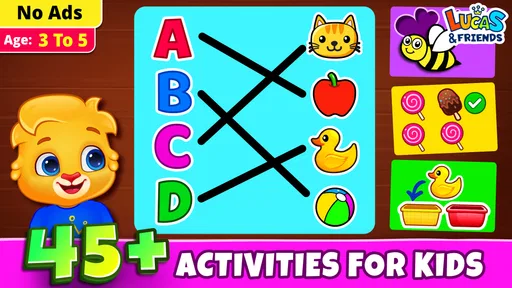
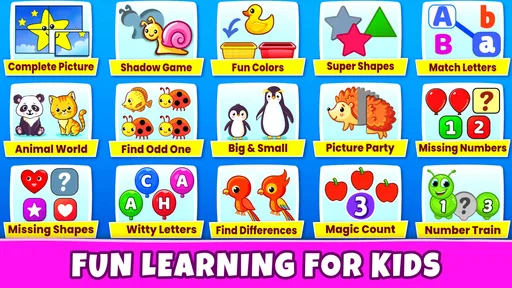
Right off the bat, Kids Games: For Toddlers 3-5 caught my attention with its vibrant colors and cheerful sounds. The app is designed to be intuitive, so even the youngest users can navigate it without any hiccups. The variety is impressive. From puzzles that encourage problem-solving to musical games that let kids explore different sounds and instruments, there's something here for every curious mind.
A Safe Environment
Safety is a big deal, right? The developers have done a fantastic job of ensuring that the app is a safe space for kids. There are no in-app purchases or ads that could potentially lead your little one astray. It’s all about the fun and learning without the worry of surprise charges or inappropriate content.
Games That Grow With Your Child
The diversity of games available is tailored to grow with your child. Whether they’re learning their ABCs or getting started with numbers, there’s a game for that. The app is designed to adjust in difficulty as your child progresses, keeping them challenged and engaged without feeling overwhelmed.
And hey, let’s not forget the importance of parent involvement. The app encourages you to join in on the fun. It’s a great way to bond with your child while they learn. Plus, you get to witness those "aha" moments firsthand, which is always rewarding.
User-Friendly and Fun for All
The interface is super user-friendly. I mean, if a three-year-old can figure it out, that’s saying something. The games are quick to load, and the graphics are top-notch. It’s like having a preschool on your phone, minus the hassle of getting everyone out the door in the morning.
What changed and what has not
The current version is 1.6.6, and the game was released in February 2022. Those facts give a useful snapshot of its timeline, but they do not tell me which individual activities or interface details changed between releases. I would not treat the version number as proof of a particular new feature. For a returning family, the sensible expectation is that this is the same broad kind of preschool game, rather than assuming a particular redesign or lesson has appeared.
That distinction matters if a child already has a favorite activity. On updating, I’d let them explore the game again rather than promising that their preferred screen or progress will look exactly as before. The app’s current version can help identify what is installed when asking for help or comparing devices, but it is not a learning milestone and does not indicate how much content a child has completed. For day-to-day use, I’d judge the experience by whether the child can still find an activity and engage with it calmly.
Small choices that make the session work better
One practical tip is to offer a choice between two activities instead of asking a toddler to browse the whole collection. That keeps the decision manageable and gives the child a sense of control without letting screen time drift into endless tapping. I’d also try the game together once before relying on it during a busy moment; a quick preview lets me see whether the prompts make sense to my child and whether an activity needs an adult’s help.
Another useful trade-off is sound. Cheerful audio can make a preschool game inviting, but it may not suit a quiet waiting room, a sleeping sibling, or a child who is easily distracted by noise. I’d lower the device volume or choose a different activity when the setting calls for calm. This is not a reason to avoid the game; it is a reminder that an activity that works at home may not be the right choice everywhere.
Where I’d draw the line
I would skip this as the main choice for a child who needs a tightly sequenced curriculum, detailed progress tracking, or a specific school-readiness target. A collection of games can be pleasant practice, but it is not the same as a teacher’s feedback or a planned lesson that builds one skill step by step. I’d also choose a non-screen activity when the child is already tired, frustrated, or asking for interaction; a game can occupy a moment, but it cannot replace an adult reading together, talking through a puzzle, or playing with blocks.
Parents may also wonder whether the game suits a child younger than the age in its title. Its Everyone content rating is broad, but that is not the same as a guarantee that every activity will be easy for a very young player. I’d preview it with the child and be ready to guide them. On the other hand, a confident older preschooler may find some early activities too simple, so I would watch for signs of boredom rather than assuming the age label predicts the right challenge for every child.
What I’d keep an eye on
For an existing user, the most useful things to watch are practical: whether the child can still use the activities independently, whether the range remains engaging as they learn, and whether any change in the current version affects the family’s routine. I would check the installed version when troubleshooting, but I would not infer new content from a version change alone. The game’s appeal is its accessible mix of preschool activities; its limitation is that families looking for a carefully measured course may need something more structured alongside it.
That is why my recommendation is qualified rather than automatic. I’d try it for a preschooler who enjoys brief, varied activities and for a parent who is happy to join in, guide choices, and connect screen play to everyday learning. I’d look elsewhere if the priority is a single subject taught in a clear progression or a screen-free way to occupy a child. The game is free and rated for Everyone, which lowers the barrier to trying it, but a short supervised session is still the best way to decide whether it fits your child.
Overall, Kids Games: For Toddlers 3-5 is a fantastic app that combines fun, learning, and safety in one neat package. It’s perfect for those moments when you need to keep your little one entertained, whether you’re at home or on the go. Trust me, your toddler will love it, and you’ll appreciate the peace of mind it brings.
Privacy and Permissions
See what permissions an app requests and how it handles your data.
- Other
- view network connections, full network access, run at startup, control vibration, prevent device from sleeping, Google Play license check
Verdict
Strengths of Kids Games: For Toddlers 3-5
- Engaging and colorful graphics.
- Simple interface for young users.
- Variety of educational mini-games.
- Safe, ad-free environment.
- Encourages creativity and learning.
Limitations of Kids Games: For Toddlers 3-5
- Limited content in free version.
- Requires internet for updates.
- Some games are repetitive.
- Occasional navigation glitches.
- In-app purchases can be pricey.
Other Releases by RV AppStudios
View All
Coloring Games: Color & Paint
Educational4.4

Drawing Games: Draw & Color
Educational4.3

Baby Games: Piano & Baby Phone
Educational4.4

Puzzle Kids: Jigsaw Puzzles
Educational4.4
Similar Picks in This Category
View All
Little Panda Policeman
BabyBus4.0

Monster Trucks Game for Kids 2
Raz Games4.1

Little Panda's Chinese Recipes
BabyBus4.4

Little Panda's Restaurant
BabyBus4.4

Little Panda's Ice Cream Games
BabyBus4.3

Baby Panda Care
BabyBus3.8
Frequently Asked Questions
What age group is Kids Games: For Toddlers 3-5 suitable for?
Kids Games: For Toddlers 3-5 is specifically designed for children aged between 3 to 5 years old. The app offers age-appropriate games that focus on developing basic cognitive skills, motor skills, and creativity through fun and engaging activities. It's an excellent tool for preschoolers to learn while playing.
Is Kids Games: For Toddlers 3-5 safe for my child to use?
Yes, Kids Games: For Toddlers 3-5 is designed with child safety in mind. The app features a child-friendly interface with no intrusive ads or inappropriate content. It also includes parental controls to monitor and limit your child's screen time, ensuring a safe and secure learning environment.
Does Kids Games: For Toddlers 3-5 require an internet connection?
The app does not require a constant internet connection to function, making it ideal for use on the go. However, some features or updates might need internet access. It's perfect for offline use, allowing your child to enjoy educational games anywhere, anytime, without worrying about connectivity.
What types of games are included in Kids Games: For Toddlers 3-5?
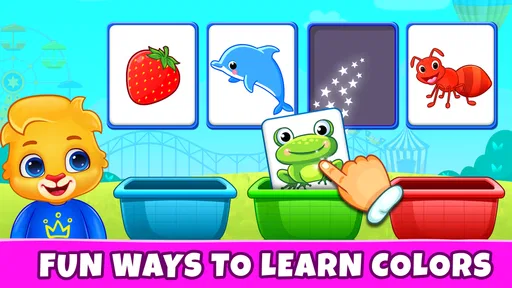
Kids Games: For Toddlers 3-5 includes a variety of games focused on different learning areas such as numbers, colors, shapes, and alphabets. These games are designed to enhance memory, concentration, and problem-solving skills through interactive and colorful gameplay, making learning a delightful experience for toddlers.
Are there any in-app purchases or additional costs in Kids Games: For Toddlers 3-5?
Kids Games: For Toddlers 3-5 offers some free content, but there are optional in-app purchases available to unlock additional games and features. These purchases are not necessary for the core experience, and parental controls can be set to prevent accidental purchases, allowing you to manage costs effectively.
Play our best games!


